BACK
BACK
Alpha alerts
So nothing gets past you

All you need to know about Alpha alerts
Through cards
- Shopping online or in-store, in Greece and abroad
- Cash withdrawals from your account or getting a cash advance from your credit card, at any ATM in Greece or abroad
Through accounts
- Direct charges by standing order
- Transaction limit exceeded
- Activity in your account with cards you have linked to it
- Amount debited or credited to your account and the new available balance
- Pension deposited in your pension account
Through e-Banking
- Successful transactions through your e-Banking
- Unsuccessful transfers or payments through e-Banking
- Alerts for transfer limit changes
- Activity linked to your Alpha online term deposit or Alpha online term deposit with Bonus
Read the terms of use for Alpha alerts.
Through Viber/text message or email
When you activate Alpha alerts, you choose how you want to receive the alerts:
- Through Viber, if you have downloaded the app.
- Through text message, if you don’t get a Viber notification, have not downloaded the app on your mobile or have blocked Alpha Bank as a sender.
- By email, at the email address you entered when you registered for the alerts.
Through informative push notifications on myAlpha Mobile
If you have activated push notifications, you receive free informative push notifications about issues related to online transactions with selected Alpha Bank cards.
For cards
The Alpha alerts include all the details about your card transactions, such as date, amount, shop where the transaction was carried out etc.
For accounts
The alerts include information about account activity, such as date, amount, type of transaction, etc.
For transactions through e-Banking
You receive alerts with information about various transactions you carry out through e-Banking. These alerts are automated, even if you have not activated Alpha alerts.
For cards
€1 a month for each card.
All Bonus debit cards and some credit cards, such as the Aegean Bonus Visa, have free Alpha alerts when you get a new card.
For accounts
- Free of charge for email alerts.
- €1.90 a month for Viber/text message alerts, provided you receive at least 1 message within the month. This is the total cost for the service, regardless of the number of accounts you have linked to your e-Banking.
For transactions through e-Banking
Free of charge.
How to activate Alpha alerts
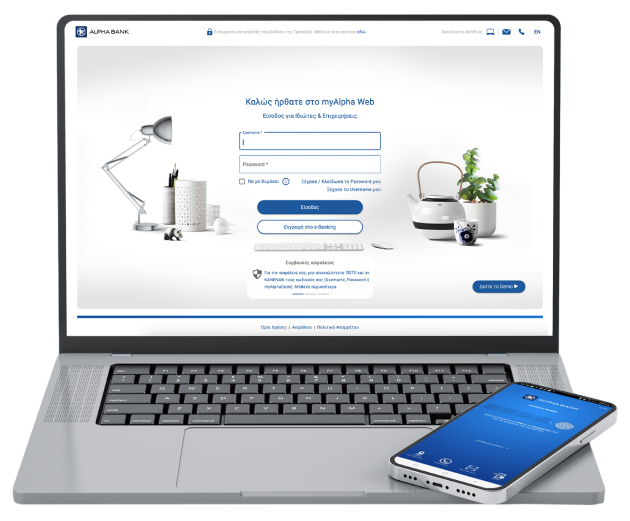
For accounts, through myAlpha Web
- Log in using your e-Banking credentials and choose: Settings > Manage alerts.
- Under the “Accounts” section, choose “Activate”.
- Click on “Continue”, provided you accept the detailed terms.
- Choose the account to be charged if you want to get alerts through Viber/text message.
- For each account, you can choose how you want to receive Alpha alerts (Viber/text message and email).
- Choose “Account Alerts” to open the account tab.
- Manage your alerts and choose the transactions for which you want to receive alerts. On the same tab you can choose if you want to receive alerts for “Linked debit card transactions”. Click on “Save”.
You can change the Alpha alerts settings at any time. When you repeat the process, click on “Edit” in Step 2.
For cards, through myAlpha Web
- Log in using your e-Banking credentials and choose: Settings > Manage alerts.
- Under the “Cards” section, choose “Activate”.
- Click on “Continue”, provided you accept the detailed terms.
- All your cards appear listed. Activate the alerts (through Viber/text message and email) using the slider on the right of each card.
- Choose “Alert settings” to open the tab for each card.
- Set the transactions for which you want to receive alerts, and choose the amount for withdrawals and purchases (over €100 or over €300).
You can change the Alpha alerts settings at any time. When you repeat the process, click on “Edit” in Step 2.
Important notices: From 31.10.2024, you receive Alpha alerts for all your cards only on the mobile number you have registered with Alpha Bank. You can no longer receive Alpha alerts on a different mobile phone number for each card. For this reason, check your profile to ensure that you have provided the correct mobile number, as it may differ from the one you have been receiving Alpha alerts on until now.
For e-Banking transactions
You do not need to activate Alpha alerts. You receive them automatically through email and/or text message, at no extra charge.
No personal digital banking?
Get credentials
From your computer or mobile
If you hold an active Alpha Bank debit or credit card, you can get credentials on the spot, without visiting a branch.
Start banking with us
Online, without visiting a branch
Open your first account with Alpha Bank and get digital banking credentials online.
Staying secure


How we protect you
How to protect yourself
What you must look out for
Any questions?
Find the answers you need for Alpha alerts.
Can I customise the alerts I get?
Yes.
For your cards, you may choose to get alerts for:
- Purchases over €100 or €300.
- Withdrawals over €100 or €300.
- All transactions over €100 or €300.
Log in to myAlpha Web: Settings > Manage alerts > Cards > Edit.
For your accounts, you may choose to get alerts for:
- All transactions.
- Direct debits and standing orders.
- Pension payments.
You may also choose to get alerts when the available balance in your account gets below or over a certain threshold.
Log in to myAlpha Web: Settings > Manage alerts > Accounts > Edit.
Can I deactivate Alpha alerts?
Yes, any time you wish, through myAlpha Web.
You need to deactivate the alerts for each card or account separately.
Can I also receive alerts for the additional cards?
Yes, as long as the primary cardholder has activated the alerts.
The alerts can only be sent to the mobile phone number and email the primary cardholder has registered with Alpha Bank.
Log into your e-Banking