BACK
BACK
Detail updating
Update your details in a flash

What you need to know
To carry out transactions
For you to be able to carry out your transactions, we are obliged to have confirmed and verified your ID card, and your contact, financial and professional details.
Updating your details is specified in the applicable law and ensures the integrity of the banking system. This way we protect your best interests and your transactions.


The strictly necessary details
Update your:
- Mobile number and email
- ID card details
- Address and home phone number
- Tax number and income details
- Occupation
- Work address


Through e-Banking
Only for your mobile number
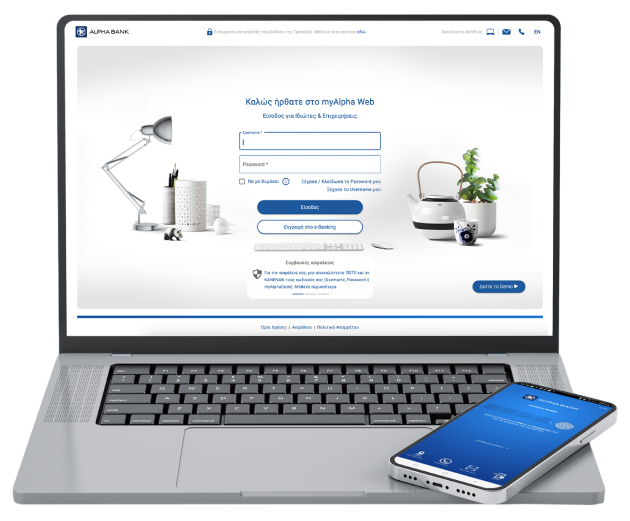
Log in using your e-Banking credentials through myAlpha Mobile from your mobile or myAlpha Web from your computer.
On myAlpha Mobile
- Tap on the 3 horizontal lines on the top left and choose “Profile”.
- Choose the pencil icon next to “Mobile phone”.
- Enter the new mobile number and tap on “Continue”.
- Accept the change with your biometrics or your 4-digit PIN.
- Enter the 6-digit code you receive on your new mobile number and tap on “Continue”.
On myAlpha Web
- On the left menu, click on “Settings”.
- Under “Personal details” choose the pencil icon next to “Mobile phone”.
- Enter the new mobile number and click on “Save”.
- Accept the push notification you receive on your new mobile or enter the 6-digit code you receive on your old mobile, if you haven’t activated the push notifications on myAlpha Mobile. Choose “Continue”.
- Enter the 6-digit code you receive on your new mobile number and click on “Continue”.
Important:
The mobile number will change in 2 business days and you’ll receive a relevant text message. Until then, use your old mobile number for your transactions.
Only for your email
On myAlpha Mobile
- Tap on the 3 horizontal lines on the top left and choose “Profile”.
- Choose the pencil icon next to “Email”.
- Enter the new email and tap on “Continue”.
- Enter the 6-digit code you receive on your new email and tap on “Continue”.
- Accept the change with your biometrics or your 4-digit PIN.
On myAlpha Web
- On the left menu, click on “Settings”.
- Under “Personal details” choose the pencil icon next to “Email”.
- Enter the new email and click on “Save”.
- Accept the push notification you receive on your mobile, if you have myAlpha Mobile and have activated the push notifications. Otherwise, enter the 6-digit code you receive on your mobile and click on “Continue”.
- Enter the 6-digit code you receive on your new email and tap on “Continue”.
Important:
The email will change immediately and you will receive a relevant message on your old and new email.
Through eGov-KYC
- Log in using your e-Banking credentials through myAlpha Mobile from your mobile or myAlpha Web from your computer.
- On myAlpha Mobile, on the main menu choose “Update details”. Choose the information you want to update and tap on “Update via eGov-KYC”.
On myAlpha Web, choose Settings > Personal info > Online personal info update > Connect with Gov.gr. - Enter your Taxisnet credentials and then the one-time-password you receive on your mobile.
- Find the categories and data that may be transferred to the bank and consent to the data transfer.
- Check that your details are correct and consent to the data transfer to Alpha Bank. On myAlpha Mobile, choose “Update” for the details you want to update or “Omit” for those you don’t want to update.
- On myAlpha Mobile, complete the process with biometrics or your 4-digit PIN and on myAlpha Web with push notification or the 6-digit code you receive on your mobile.
Important: After completing the process, check your profile to confirm that all your details are updated and that there are no more orange-marked fields.
By uploading documents
Log in using your e-Banking credentials through myAlpha Mobile from your mobile or myAlpha Web from your computer.
On myAlpha Mobile
- On the main menu, choose “Update details”.
- Choose the information you want to update and tap on “Document upload”.
- Choose the document you want to upload and tap on the arrow on the bottom of the screen. You can choose “Take a photo” and take a photo of the document or choose “From Gallery” and choose a photo from your mobile phone gallery. Tap on “Continue”.
- Accept the terms and tap on “Confirm”.
On myAlpha Web
- Choose Settings > Personal info > Online personal info update.
- Click on the “submit online” link.
- Choose the information you want to update, along with the type of document you will be uploading.
- Upload the document, accept the terms and click on “Continue”.
Have a look at which documents you can upload to update your details and in which format.
No personal digital banking?
Get credentials
From your computer or mobile
If you hold an active Alpha Bank debit or credit card, you can get credentials on the spot, without visiting a branch.
Start banking with us
Online, without visiting a branch
Open your first account with Alpha Bank and get digital banking credentials online.
Staying secure


How we protect you
How to protect yourself
What you must look out for
Any questions?
Find the answers you need to update your details online.
What personal details can I update online and what supporting documents are required?
Tax number
- Income tax clearance certificate
- Tax number insurance certificate
Income
- Income tax clearance certificate
Occupation
- E3 form
- Professional ID
- Copy of payslip
- Certificate from employer
- Certificate issued by a consulate/embassy or foreign bank reference letter, for residents abroad
Home address
- Income tax clearance certificate
- Tax number insurance certificate
- Electricity, water or phone bill
- Online tenancy agreement
- Document issued by a public authority
- Certificate issued by a consulate/embassy or foreign bank reference letter, for residents abroad
Work address
- E3 form
- Professional ID
- Copy of payslip
- Certificate from employer
- Certificate issued by a consulate/embassy or foreign bank reference letter, for residents abroad
Contact phone number
- Phone bill
- Certificate from employer
- Certificate issued by a consulate/embassy or foreign bank reference letter, for residents abroad
If a document can be used to confirm more than 1 category of details, you can provide the same document to update all the details mentioned in it. The entire update process can be carried out online, so you do not need to visit a branch.
Are my details updated across all banking services?
Your email address and phone number change automatically across the following services:
- myAlpha code.
- Alpha e-statements.
- Alpha alerts.
- Any products you have acquired online.
This is also the case when you update your documents online to confirm your personal details.
My mobile number has changed. What should I do with IRIS Payments?
Update your details online