










 BACK
BACK
Bonus Visa Gold credit card

Twice the rewards every time you shop

Discover the features
What is the interest rate and what are the fees
From 15.75% interest rate
The interest rate for the Bonus Visa Gold is:
- 15.75% when you shop
- 18.00% when you withdraw cash
- +2.50% to the interest rates above for default interest rate
The 0.60% Law 128/1975 levy is added to the interest rates.
Have a look at the deposit and loan interest rates.
Up to 2 add-on cards free of charge
The annual fee for the Bonus Visa Gold is:
- €50 for the main card, free for the 1st year
- €0 for up to 2 add-on cards
How to get control of your card
Detailed card activity updates
To keep track of your credit card activity:
- Find your card on digital banking (web banking or the mobile app).
- Check the monthly e-statements on your digital banking.
- Ask for a card activity statement at Alpha Bank ATMs and APS.
Secure transactions
- Receive alerts with Viber / text message or email in real time for every card transaction.
- Confirm your online transactions with push notifications or the 6-digit code you receive with Viber / text message on your mobile, through Secure Web.
- Change your card withdrawal limit online through your digital banking.
- Lock your card temporarily if you’re not sure whether you’ve lost it.
How to repay the card
Every month
The minimum amount you pay every month is 2% of your card balance.
However, you can pay whatever amount you want, as many times as you want.
No fees
Pay your credit card every month without fees:
- By standing order from your own Alpha Bank account
- By transferring money from your Alpha Bank account, through web banking or the mobile app
- At an Alpha Bank ΑΤΜ or APS
Gain even more
Unique services
- Access to Bonus Exclusive to get unique products from the e-catalogue or choose products that interest you from selected partner e-shops.
- Free shopping protection, extended warranty and legal protection insurance plans when you shop at e-shops.
- Free travel insurance, provided you bought your ticket with your Alpha Bank Bonus Visa Gold credit card.


2x Bonus points every time you shop
The Bonus Visa Gold credit card is linked to the Alpha Bank Bonus loyalty programme with double points compared to the standard programme. This way, you earn twice the Bonus points every time you shop.
For every €1 you earn:
- 8 Bonus points when you shop at major partners AB Vasilopoulos, AEGEAN, selected bp service stations, Vodafone, attica, Natural Gas, Generali, Hondos Center, Hertz, BOX and Kotsovolos
- 4 Bonus points when you shop at other partner businesses
- 2 Bonus points when you shop in-store or online in Greece and abroad
Redeem your Bonus points at thousands of partner businesses that have joined the Bonus loyalty programme.
5,000 Bonus points as a welcome gift
You get 5,000 Bonus points as a welcome gift when you activate your physical card, the 1st time we issue the credit card.
What benefits you get


Can I get the credit card?

Apply provided you...
- Are 18-75 years old.
- Live permanently in Greece.
- Have Greek proof of ID.
- Have a Greek mobile number.
- Have digital banking credentials.
- Have updated your details at Alpha Bank.

Have at hand...
- Your Taxisnet credentials, if you haven’t updated your details and want to do so through eGov-KYC.
- The supporting documents you’ll need , if you haven’t updated your details and choose to do so by uploading the documents.
Apply through digital banking


1. Fill in the application form
Choose New products > Credit cards > Get credit card.
Choose Alpha Bank Bonus Visa Gold and:
- Set an account to pay your card automatically.
- Accept the pre-contractual information.
- Answer 3 short questions.
- Choose where you want to receive your card, provided it is approved.
We assess your application and inform you by email.
2. Sign the agreement digitally
Provided the application is approved, confirm your personal details and accept the terms for the digital signature.
Digitally sign the agreement with a 6-digit code you receive on your mobile.
You have 3 days to sign the agreement. Once 3 days have elapsed, the application is cancelled and you need to start over.
We send you the agreement by email and save a copy on your digital banking.
3. Get the card
The new card shows up on your digital banking within 3 working days. Once it’s ready, you get a message on your digital banking.
You can activate the virtual use of your new card . Through myAlpha Mobile, you can easily add the card to your digital wallet to carry out transactions with your mobile. Otherwise, get the card details to shop online.
You receive the actual card by post in 8-10 working days.
Find out how you receive your card PIN.
Get the Alpha Bank Bonus Visa Gold credit card
Get credentials
From your computer or mobile
If you hold an active Alpha Bank debit or credit card, you can get credentials on the spot, without visiting a branch.
Start banking with us
Online, without visiting a branch
Open your first account with Alpha Bank and get e-Banking credentials online.
Visit a branch
By appointment
Book your appointment at a branch on the day and time you prefer and bring along the supporting documents.
Apply on alpha.gr
Through the website
You don’t need to already hold Alpha Bank products, as long as you have at hand the supporting documents we ask for.
New to Alpha Bank?
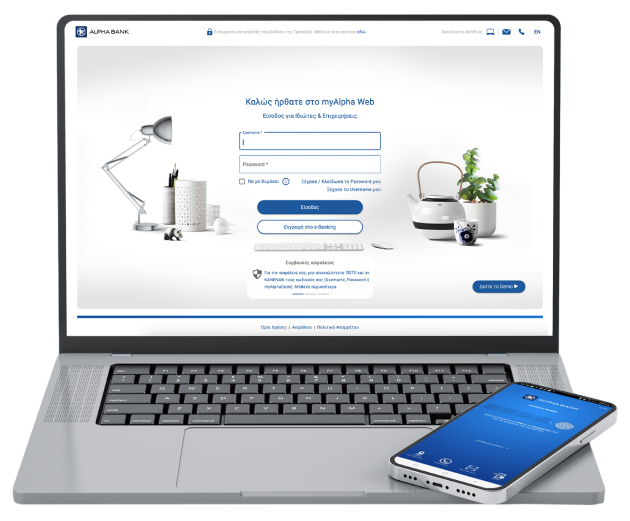

Explore other options


Any questions?
Find the answers you need about the Alpha Bank Bonus Visa Gold.
How do I change my credit card limits?
Send an email to customerservice@alpha.gr, mentioning:
- The new credit card limit you need.
- Your card details (number, Visa or Mastercard, etc.).
- Your most recent income tax clearance certificate.
- Your most recent payslip (if you are on a payroll).
We will assess your application and let you know within 2-3 working days. The new limit will apply instantly.
How will I receive the PIN for my card?
By SMS. You can request to have your PIN issued online or through SMS.
Requesting your PIN online
From your computer through myAlpha Web:
- Locate your new card on the home screen (Overview).
- Click on the 3 dots on the right of the card and click on “Send PIN”.
- Confirm that your mobile phone number is correct. If not, you can change it.
- Click on “Send”.
From your mobile through myAlpha Mobile:
- Scroll down to the Cards section on the home screen and tap on the card for which you want to request a new PIN.
- Tap on Settings > Send PIN.
- Confirm that your mobile phone number is correct. If not, you can change it.
- Tap on “Send”.
Requesting your PIN through SMS
If you do not have e-Banking credentials, you can send an SMS to 19129 from the mobile number you have included in your Alpha Bank personal details:
P (in Latin script), (space), application reference number (sent to you by SMS when you applied for the card), (space), identification code (you can find the code at the bottom of the letter you received with your card).
E.g.: P 34567 456789
There is a transaction on my card that I did not make. What should I do?
- Download the Card transaction dispute application form.
- Fill in your card number, personal details and disputed transaction details.
- Choose the reason for disputing the transaction. If your card has been lost or stolen, you must first cancel your card.
- Print out and sign the application form.
- Send the scanned application form, along with the necessary supporting documents listed in the form for your case, to disputes-bo@alpha.gr.