BACK
BACK
Tourism for All 2025 with Alpha Bank
Financial aid for your holidays

Discover the features
Who it is aimed at
You can apply for the Tourism for All 2025 aid, provided you:
- Pay taxes in Greece.
- Have submitted a final income tax return by the deadline for submitting tax returns for 2023, and the tax return has been cleared by that final deadline for submitting applications.
- Are single or widowed and your personal income is between €19,000 to €29,000, depending on the number of children.
- Are married or have a civil partner and your family income is between €31,000 to €41,000, depending on the number of children.
- Were not entitled to the Social Tourism 2024-2025 programme by the Public Employment Service (DYPA).
- Did not win the draw for the Tourism for All pass in 2022, 2023 or 2024.


Up to €600 for your holidays
When you apply for the programme, you choose the tourist period you are interested in and receive the corresponding aid.
Until 30.04.2025 or from 01.10.2025 to 31.12.2025
- €300
- €400 for single-parent families, families with 3+ children or pensioners
- €600 for people with disabilities or for parents with children with disabilities
From 01.05.2025 to 30.09.2025
- €200
- €300 for single-parent families, families with 3+ children or pensioners
- €400 for people with 67% disability or more or for parents with children with 67% disability or more


Easy management
This is a virtual card, there is no actual card. The aid amount is credited in it.
You add it to your digital wallet and use it:
- In POS devices
- Online, using the card details
You can use the aid amount in one go or for partial transactions by 31.12.2025.


For specific transactions
You can use your card:
- In hotels and rooms for accommodation purposes
- In POS devices or online, for reservations and other accommodation services
Anywhere in Greece
Choose any destination in Greece you want, without any restrictions.


Apply for the programme

1. Log into gov.gr
Until 10 March 2025, at 23:59:
Choose Tourism for All 2025 on the dedicated gov.gr vouchers platform.
Choose “Log into the app” and fill in your Taxisnet credentials to log in.
2. Register details, holiday period and provider
Enter:
- Your mobile phone number where the virtual card will be activated. Your mobile must have NFC technology.
- Your email.
- When you want to use the aid: until 30.04, from 01.10 to 31.12 or from 01.05 to 30.09.
Choose Alpha Bank as your preferred provider, even if you do not bank with us.
3. Confirm your details
Confirm that you:
- Are not entitled to the Social Tourism 2024-2025 programme by the Public Employment Service (DYPA) – irrespective of whether you have used the benefit or not.
- Did not win the draw for the Tourism for All pass in 2022, 2023 or 2024.
- Will use the amount exclusively to pay for accommodation expenses, for you or your dependent family members.
- Will use the amount exclusively during the term you have registered.
- Will not transfer the amount to a third party or withdraw it.
- Your details are correct.
Submit your application.
4. Verify your mobile number and email
Verify your:
- Mobile phone number using the 6-digit code you receive through Viber/text message.
- Email using the 6-digit code you receive on your email.
The beneficiaries of the Tourism for All 2025 will be decided in an online draw among all those who applied.
You may find the final table of beneficiaries on the websites of the:
Once you’ve received the Tourism for All 2025 Pass
I bank with Alpha Bank and have e-Banking credentials
To access your card:
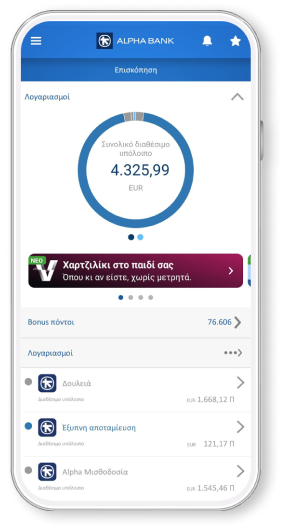
- Choose “Login with credentials” on the myAlpha Mobile overview page to log in using your e-Banking credentials (username and password).
- Find your new virtual Tourism for All Visa card on the overview page (under “Cards”).
- Choose “Add to Google Pay” or “Add to Apple Wallet”, to add it to the digital wallet you prefer.
I bank with Alpha Bank, but I don’t have e-Banking credentials
To use your new virtual card, you get your e-Banking credentials (username and password) by email/text message on the contact details you provided to Alpha Bank.
Through e-Banking, you will be able to view all the products you hold with Alpha Bank. When you activate your e-Banking, you fully and unconditionally accept the e-Banking terms of transactions.
To access your virtual card:
- Download myAlpha Mobile on your mobile for free.
- Choose “Login with credentials” on the myAlpha Mobile overview page to log in using the e-Banking credentials you received by email/text message. Do not choose “Sign up to e-Banking” or “New customer”.
- Find your new virtual Tourism for All Visa card on the overview page (under “Cards”).
- Choose “Add to Google Pay” or “Add to Apple Wallet”, to add it to the digital wallet you prefer.
I don’t bank with Alpha Bank
To use your new Tourism for All 2025 Visa card, you get your e-Banking credentials (username and password) by email/text message on the contact details you provided to Alpha Bank.
To access your virtual card:
- Download myAlpha Mobile on your mobile for free.
- Choose “Login with credentials” on the app to log in using the e-Banking credentials you received by email/text message. Do not choose “Sign up to e-Banking” or “New customer”.
- Find your new virtual Tourism for All Visa card on the overview page (under “Cards”).
- Choose “Add to Google Pay” or “Add to Apple Wallet”, to add it to the digital wallet you prefer.
No personal digital banking?
Get credentials
From your computer or mobile
If you hold an active Alpha Bank debit or credit card, you can get credentials on the spot, without visiting a branch.
Start banking with us
Online, without visiting a branch
Open your first account with Alpha Bank and get e-Banking credentials online.
Any questions?
Find the answers you need for the Tourism for All 2025 programme.
Do I have to bank or start banking with Alpha Bank to get the Tourism for All 2025 Pass?
Can each family member apply for the Tourism for All 2025 Pass separately?
Yes, provided you:
- Meet the income criteria.
- Have their own Taxisnet credentials.
- File a tax return.
I do not bank with Alpha Bank, but I have e-Banking credentials from the Market Pass or Youth Pass programme. Can I use them to activate the Tourism for All 2025 Visa?
Yes, provided you:
- Had chosen Alpha Bank for issuing the Dentist Pass or Youth Pass.
- Filled in the same details as those you had filled in for those programmes, when you applied for Tourism for All 2025.
Bring your bank to your mobile
Download mobile app today and get a bank on your mobile.