
Your online archive

Free each month
Get free monthly e-statements for any activity in your accounts, credit cards and loans.
Online sign-up
You are automatically signed up for e-statements when you get your business digital banking credentials.
Paperless
By helping us print less paper, you do your part in protecting the environment.

All you need to know about e-statements

Find out for which products you receive monthly e-statements, how to activate and find them on your business digital banking, and how they make banking easier.
  • For your accounts

  • For your loans

  • For your Nexi POS

  • For your credit cards

  • Account e-statements are automatically activated when you add the accounts of your business to your digital banking.

  • You have to activate e-statements for loans and credit cards through business web banking or business phone banking.

  • You can deactivate them from your computer through business web banking.

  • Choose the account, credit card or loan you want on the home screen (Overview) and then choose the “Statements” tab.

  • Save them in pdf format on your computer or mobile, or print them out.

  • We notify you by email as soon as we issue your monthly e-statement.

  • You have free access to e-statements of the last 18 months at any time.

  • The e-statements for your business accounts, credit cards and loans are completely free of charge.

  • Your data are protected, since the e-statements are located in the secure environment of your business digital banking.

How to activate / deactivate them

Follow the steps to activate or deactivate your business e-statements.

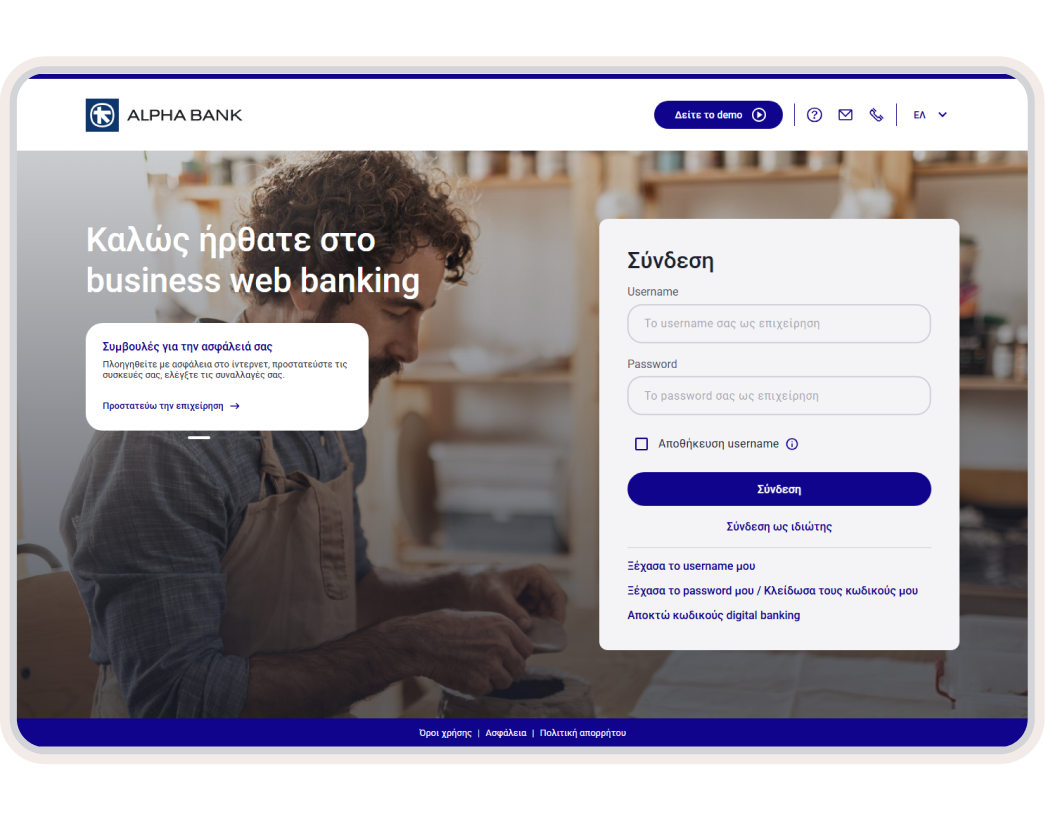
1. Log into business web banking

Using the digital banking credentials of your business, log into business web banking.

2. Choose a product category

On the home screen (Overview) choose “Services” from the top menu on the right.

Choose the tab of the product category you are interested in:

  • Accounts e-statements
  • Cards e-statements
  • Loans e-statements
  • e-statements for Nexi POS

3. Choose the product

On the product you want, click on the pencil icon under “Modify”.

Under “Receive account statements”, choose:

  • Electronically (e-statements), if you want to start receiving electronic copies.
  • By post, if you want to stop receiving electronic copies.

4. Complete the process

Read the detailed terms and conditions and choose “I agree”.

Choose “Submit”.

New to Alpha Bank?

Find out how to start banking with us based on the legal form of your business.

For freelancers

Open a business account and get business digital banking credentials, provided you already have personal ones.

For registered companies with 1 representative

Open a business account and get business digital banking credentials, provided you already have personal ones.

For businesses with 2+ legal representatives

Schedule an appointment at a branch to start banking with us and sign up to business digital banking.

How we reduce the carbon footprint

With the new generation of Alpha Bank digital products.

Introducing new digital products

e-statements belong to the new generation of digital products. You activate them online, without having to visit a branch, and the whole process is fully streamlined.

Through our digital products we eliminate the use of paper. At the same time we save ink, water and energy.

Respecting the environment

Our goal is to improve our customers’ experience so they may reap all the benefits of the digital era. This way we protect the environment and reduce our carbon footprint.

Find out more about our green solutions and digital channels.
Any questions?

Find the answers you need about e-statements for businesses.

I’ve activated e-statements for my business. Why have I not received any email notifications?

Through business web banking check if:

  • e-statements have been activated for the product you are interested in (Services > e-statements tab).
  • We have your correct email (Profile > Subscription details).

If you continue missing email notifications, call us on +30 210 326 0000.

Will I continue to receive hard copies of my business account statements?

No. When you sign up to digital banking, account e-statements are automatically activated.

If you want to receive hard copies of your account statements by post instead of electronically, change your choice through business web banking (Services > accounts e-statements tab > Modify).

Alternatively, call us on +30 210 326 9500, Monday-Saturday 08:00-18:00.

Card and loan e-statements are activated and deactivated by you.

How often are e-statements for businesses issued and for how long are they available?

Every month and they are available for 12 months, only if you are an authorised user.

If you need an older account statement, book an appointment at a branch near you.

Activate e-statements for businesses

If you have deactivated e-statements, you can activate them through business web banking.