New customer
Branch Network

Business loan payments online

Pay instalments and other business loan debts from your computer. 

Faster than ever

Without visiting a branch
All types of bills and dues
Pay instalments and overdue debts, or make early repayments into revolving credit limits.
Any time you want
Make payments any time you prefer and choose if they will be processes immediately or on another day.

What you need to know

Find detailed information on how to pay business loans online.
  • The next loan instalment or overdue debts on your business loans.

  • Any amount into revolving credit limits as an early repayment towards principal, provided there are no overdue debts.

  • Any other amount, equal to or lower than the next instalment of an overdue debt.

  • Debts on assigned Alpha Bank loans.

  • Choose whether you want the payment to be carried out right away or on another date of your choice.

  • Print out and save copies of your payments in pdf format.

  • To pay loans not added to your business digital banking, you enter the 6-digit code you receive through Viber / text message.

What you need to pay loans online

Find out the conditions for paying your business loans online.

Make payments online provided you…

  • Have active digital banking credentials.
  • Have added the loan  to your business digital banking.
  • Have activated strong customer authentication to approve your transactions with a 6-digit code you receive through Viber/text message.

How you pay a business loan online

Follow the steps to pay a business loan online.

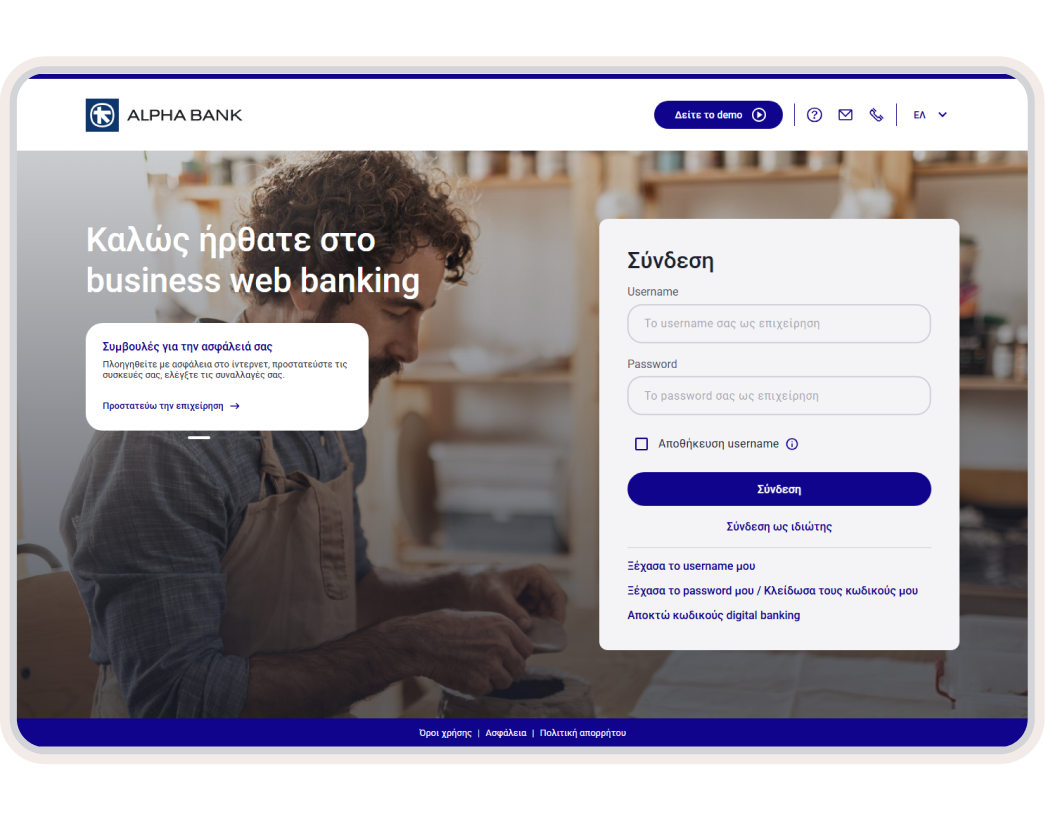
1. Log into business web banking

Use your business digital banking credentials to log into business web banking.

2. Choose the loan

If approval from another user is not required

On the home screen (Overview), choose “Payments” from the top menu.  From the categories on the left choose Loans > Alpha Bank loan payment. 

Alternatively, on the home screen (Overview), choose “Lending” from the top menu. Under “Loans” find the loan you want to pay and click on the 3 horizontal lines on the right. Choose “Loan payment”.

If approval from another user is required

On the home screen (Overview), from the top menu, choose: Jobs > New job > Payments > Single payment. On the left menu choose “Loans” and find the loan you want to pay.

3. Fill in the necessary details

If approval from another user is not required

Choose the payment account and fill in the loan number. Choose whether you want the payment to be carried out right away and fill in the amount. If you don’t want to pay it right away, enter the date and whether you want the amount to be blocked or not.

Click on “Submit”.

If approval from another user is required

Enter the job code, account, loan number, how the transaction will be carried out (right away or on another date), payment date and amount. 

Then, if you are an authorised or approving user of your business digital banking, fill in the 6-digit code you receive on your mobile to approve the payment.

Click on “Submit”.

4. Complete the payment

Check that the details are correct and click on “Submit”.

If you have not added the loan to your business digital banking, choose “Add loan” and follow the steps. 

Enter the 6-digit code you receive on your mobile and choose “Continue”.

5. Save the payment, send or print out the receipt

Your payment has been completed.

Once the payment has been completed, click on “Add to my payments” and enter a nickname for it. Next time you won't have to fill in the details.

Choose “MAIL” if you want to send the receipt by email or “PDF” to save it in pdf format.

If you want to print out the receipt, choose the printer icon.

New to Alpha Bank?

Find out how to start banking with us based on the legal form of your business.

For freelancers

Open a business account and get business digital banking credentials, provided you already have personal ones.

For registered companies with 1 representative

Open a business account and get business digital banking credentials, provided you already have personal ones.

For businesses with 2+ legal representatives

Schedule an appointment at a branch to start banking with us and sign up to business digital banking.

No digital banking?

Get business credentials

For freelancers or companies with 1 representative

Get business credentials, provided you already have personal ones or hold an active Alpha Bank card.

Get personal credentials

If you haven’t already signed up

Get personal digital banking credentials in a flash through your mobile or computer.

Any questions?

Find the answers you need about paying business loans online.

How do I stay updated about the next loan instalment?

  1. Log into business web banking with the digital banking credentials of your business.
  2. On the home screen (Overview), choose “Lending” from the top menu. 
  3. Locate the loan you want and click on the 3 horizontal lines on the right.
  4. Choose “Balance / Statements”. The next 3 loan instalments are displayed.

I cannot see my loan on business web banking. How can I add it?

  1. Log into business web banking with the digital banking credentials of your business.
  2. On the home screen (Overview), from the top menu, choose: Lending > Add loan.
  3. Choose the loan type and fill in the loan number. Choose “Continue”.
  4. If you want, you can give a friendly name to your loan, so you see that on your profile instead of the loan number. Choose “Add”.
  5. Confirm the transaction with the 6-digit code you receive on your mobile.
  6. Check that the details are correct and click on “Confirm”. The loan has been added to your profile.

Bring your bank to your mobile

Download mobile app today and get a bank on your mobile.

  • Get
    e-banking
  • Open an
    account