





 BACK
BACK
Online payments for businesses
On the go, 24/7

What you need to know
Social security contributions, bills, organisations
Pay dues relating to:
- Cards issued by and accounts held at Alpha Bank or other banks
- State
- EFKA contributions
- Organisations and companies, e.g. power, phone, insurance etc.
You can also make donations to associations, NGOs, foundations, etc.


Your instalments
Whenever you want, you can pay:
- Your overdue debt.
- The next instalment of your business loan, provided there are no overdue debts.
- Any amount into revolving credit limits towards principal, allowing you to reuse the amounts you have repaid, provided there are no overdue debts.
Find out how you can pay your business loans online.


Immediate payment
The payment is carried out on the spot, provided it has been approved by all the users with respective rights. This method is available for Alpha Bank products, as well as payments to a number of businesses and organisations.
At a selected date
The payment is carried out on the day you choose.
The earliest possible it can be carried out is on the same business day:
- At 17:00, if you enter it before 16:00.
- At 22:00, if you enter it after 16:00.
Make sure you have sufficient balance in your account on the payment date.


Complete control
You have access to your complete transaction log and may keep track of pending transactions.
Free notifications
Receive free notifications in case of unsuccessful transactions with alerts for businesses.


Strong authentication for secure transactions
Certain transactions require strong customer authentication with a 6-digit code you receive through Viber or text message.
Secure payment approval
For secure payment approval, you can set user categories through business digital banking. Each category has specific rights and duties.


€0 for specific payments
You pay no fees for payments to:
- Cards and loans at Alpha Bank
- State
- Certain companies and organisations
View the list of payment fees for every company and organisation.
More affordable than at a branch
For all online payments, the fees are equal to or lower than those at branches.


What you need to make business payments online
Make payments online provided you…
- Have active digital banking credentials.
- Have activated strong customer authentication to receive 6-digit verification codes on your mobile.


Have at hand...
- The payment / bill number, which appears on your bill.
- The payment amount.
- The pay-by date, as it is necessary for certain payments.
How to make individual payments through digital banking


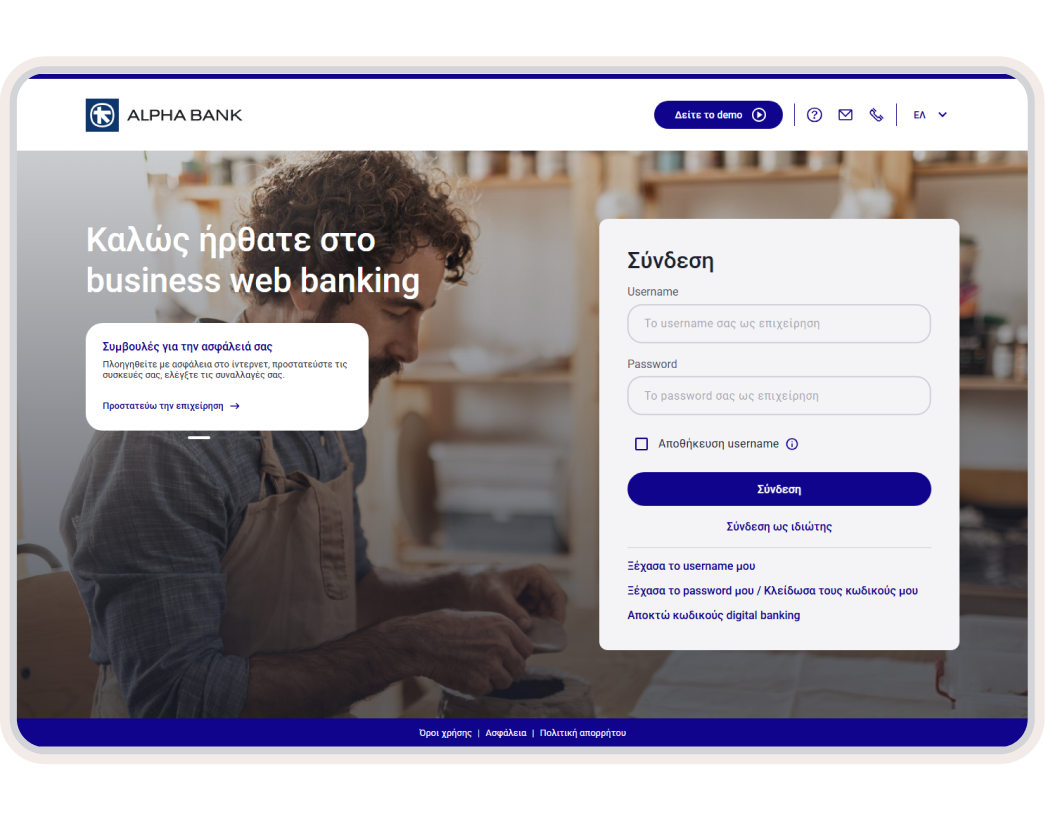
1. Log into business web banking
2. Choose what you want to pay
On the home screen (Overview), choose “Payments” from the top menu.
In the “Quick payment search” section, fill in the product nickname, the name of the billing organisation, the payment number, or the number or nickname of the card or loan you want to pay.
Alternatively, you can search through the payment categories for the payment you want to make.
3. Fill in the details
Choose the account you want to use to make the payment.
Fill in the payment number.
Choose whether you want the payment to be carried out right away or not. If you do not want immediate payment, choose the date.
Fill in the amount and choose whether you want the amount to be blocked or not.
Click on “Submit”.
4. Confirm the transaction
Check that all the payment details are correct.
Click on “Submit”.
For certain payments, enter the 6-digit verification code you receive on your mobile.
Choose “Continue”.
5. Save the payment, send or print out the receipt
Your payment has been completed.
Once the payment has been completed, click on “Add to my payments” and enter a nickname for it. Next time you won't have to fill in the details.
Choose “MAIL” if you want to send the receipt by email or “PDF” to save it in pdf format.
If you want to print out the receipt, choose the printer icon.
New to Alpha Bank?


For freelancers
For registered companies with 1 representative
For businesses with 2+ legal representatives
No digital banking?
Get business credentials
For freelancers or companies with 1 representative
Get business credentials, provided you already have personal ones or hold an active Alpha Bank card.
Get personal credentials
If you haven’t already signed up
Get personal digital banking credentials in a flash through your mobile or computer.
Any questions?
Find the answers you need about online payments.
Is there a transaction limit?
No. Payments are not subject to the daily business web banking transaction limit.
You can pay any amount, provided it is not over the maximum amount limit per single transaction, either towards Alpha Bank products or towards organisations and companies.
Can I cancel a payment order I’ve entered?
Yes, but only as long as it has not been executed and your account has not been charged:
- Log into business web banking with the digital banking credentials of your business.
- From the top central menu, choose Payments > History and locate your payment.
- Provided the payment is “Pending”, choose Cancel > Submit.
The payment order is cancelled instantly.
How can I make multiple payments to organisations?
- Log into business web banking with the digital banking credentials of your business.
- From the top central menu, choose Jobs > New job.
- Choose Payments > Multiple payments.
- Choose the account from which you want to make the payment, give the payment a task description called “job code” from now on, and fill in the payment date. Click on “Create job”.
- Add payments to the job. Choose an organisation, fill in the payment code and amount and choose “Add payment to job”.
- Click on “Save job for approval” and confirm.
Make payments online
Log into business web banking and pay bills and dues from your computer.