






 BACK
BACK
Business digital banking
Business phone banking
Complete tasks that do not require authorisation by another user, over the phone.
Your bank on your phone

Wherever you are
We serve your business banking needs over the phone on +30 210 326 9500.
For banking tasks
Get updates, make payments, transfer money and manage your products from Monday to Saturday, 08:00-18:00.
24/7 for certain requests
Call us 24/7 about card loss or fraud.
What you can do with business phone banking
Keep track of your banking products and carry out transactions over the phone, provided you have set 1 approval level.
For account balances and activity
Get updated on:
- Cash balance of your business
- Activity in your business products
- Balance and activity in your Alpha Bank cards
- Cheque books and status of your cheques


To other accounts
Transfer money, immediately or at a later date:
- Between Alpha Bank accounts you have registered, held by you or anyone else.
- To other accounts you have registered, as a donation.
- By standing order, for a fixed amount in euro, to Alpha Bank accounts.


To the State or organisations
Pay dues on a specific date for:
- Alpha Bank credit cards you have registered, held by you or anyone else.
- Landline or mobile phone bill.


Digital banking, products, services
You can:
- Reduce your limits.
- Remove products from your profile.
- Change the way you receive alerts.
- Activate e-statements.


How to use business phone banking
Find out how you can carry out transactions and complete other tasks over the phone.

What you’ll need
- Your digital banking username (15-digit or 7-digit code, or alias username).
- Your business digital banking password – We ask for part of the digits/symbols. We will never ask you to reveal your entire password.
Contacting a representative
Call on +30 210 326 9500, Monday-Saturday, 08:00-18:00.
Tell our representative:
- Your digital banking username
- 2 of the 6 digits of your password
Our experienced and qualified team stands by you to help you in a simple, fast and secure manner.
The call is charged at the cost of a local call, from anywhere in Greece.

New to Alpha Bank?
Find out how to start banking with us based on the legal form of your business.


For freelancers
Open a business account and get business digital banking credentials, provided you already have personal ones.
For registered companies with 1 representative
Open a business account and get business digital banking credentials, provided you already have personal ones.
For businesses with 2+ legal representatives
Schedule an appointment at a branch to start banking with us and sign up to business digital banking.
No digital banking?
Get business credentials
For freelancers or companies with 1 representative
Get business credentials, provided you already have personal ones or hold an active Alpha Bank card.
Get personal credentials
If you haven’t already signed up
Get personal digital banking credentials in a flash through your mobile or computer.
Any questions?
Find the answers you need about business phone banking.
Can I change my digital banking username or password through business phone banking?
No. You can change your username or password through business web banking under: Profile > Security settings > User ID alias configuration (for the username) or “Password configuration” (for the password).
My business digital banking has 1+ user categories. Can I still use business phone banking?
No. Through business phone banking you can only carry out tasks that do not require another user’s approval.
I’ve forgotten/blocked the password for my business digital banking. What should I do?
You must create a new password. You will need your:
- Username
- Mobile
- Email
To create a new password, you:
- Log into business web banking with the digital banking credentials of your business.
- Choose “I have forgotten/blocked my Password”.
- Enter your username, accept the CAPTCHA and choose “Continue”.
- Enter the 6-digit code you receive through Viber / text message and choose “Continue”.
- Enter the 6-digit code you receive on your email and choose “Continue”.
- Enter your new password twice and click on “Complete”.
Log into digital banking
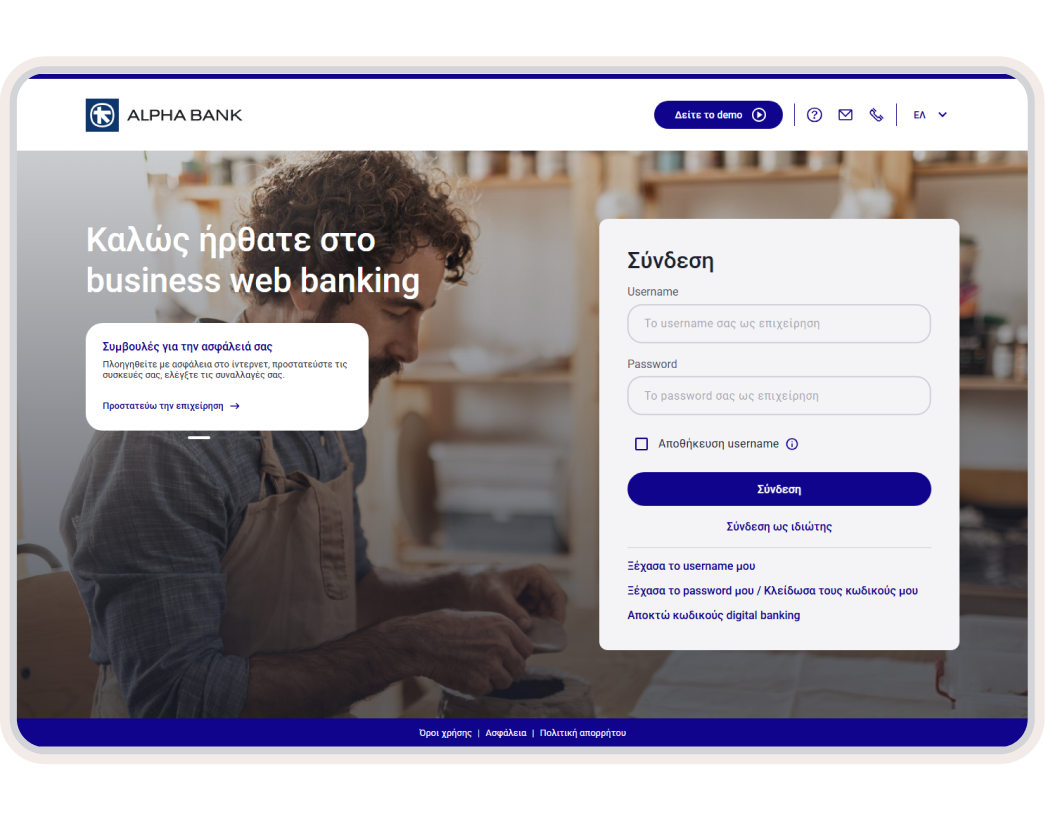
Log into business web banking from your computer.