BACK
BACK
Business mobile app
Business digital banking on your mobile

What you can do from your mobile
For all your dues
Make payments to companies and organisations on the spot or at a future date, using an electronic payment code or by scanning a QR code.
Transferring money everywhere
Transfer money between your accounts or to third-party accounts:
- At Alpha Bank, right away or on the date you prefer.
- At other banks in Greece and abroad.


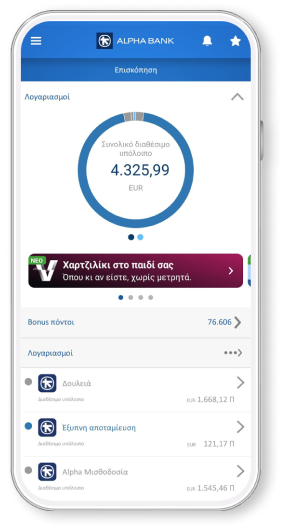
Monitoring business accounts
From your mobile you can monitor your:
- Account balance
- Transaction history up to 18 months back
- Account e-statements


Secure app login
Open the business mobile app using:
- Biometrics, depending on the capabilities of your device.
- The 4-digit PIN you created when you logged in for the 1st time.
Changing digital banking credentials
You can change your username and password through the app if you suspect that they have been compromised, without wasting any time.
Enabling push notifications
Enable push notifications when you log into the app for the 1st time.


All you need for your business
Under the digital banking Profile you can view details such as:
- Representation renewal status.
- Company name, address, contact details and tax number, as registered by you.
All your digital banking users
You can see the users who have access to your business digital banking and their category: approving, authorised and simple users.
All contact methods
Under Support you can:
- Book an appointment.
- Find a contact number and a contact form.
- View the map with Alpha Bank branches and ATMs.


How you log into the business mobile app for the 1st time
Download the app
Make sure you’ve activated strong customer authentication for businesses to receive a 6-digit verification code.
Download the business mobile app on your device from:
- Google Play for Android
- App Store for iPhone
Install the app on your mobile and choose “Login with credentials”.
Fill in your business digital banking credentials (username and password).
If you don't already bank with us, you can open your first business account online and sign up to business digital banking.


Follow the steps
- Enter the 6-digit verification code you receive on your mobile.
- Choose “Link device” to link your device to your digital banking.
- Create a 4-digit PIN to quickly log into the app. Enter the PIN a 2nd time to confirm.
- Activate Touch ID or Face ID, if you want.
- Choose “Enable push” to receive push notifications when approving transactions.
- Choose “Accept” to accept the terms and conditions we send to your email.
New to Alpha Bank?


For freelancers
For registered companies with 1 representative
For businesses with 2+ legal representatives
No digital banking?
Get business credentials
For freelancers or companies with 1 representative
Get business credentials, provided you already have personal ones or hold an active Alpha Bank card.
Get personal credentials
If you haven’t already signed up
Get personal digital banking credentials in a flash through your mobile or computer.
Any questions?
Find the answers you need about the business mobile app.
I want to download the business mobile app. What are the system requirements for my device?
Your device needs to run:
- Android – version 9 or later
- iOS – version 16 or later
Does the business mobile app offer the same functionalities as business web banking?
No. For the time being, from your mobile you can only:
- Monitor your business accounts.
- Make payments to companies and organisations.
- Transfer money to your own or third-party accounts, in Greece and abroad.
However, we are continuously upgrading the app to meet more of your needs.
Can I link my device to more than 1 business digital banking accounts?
Your bank on your mobile
Download the business mobile app to carry out business banking transactions from your mobile.